

Hello awesome friends!
Today’s Teacher Tip Tech is focused on using Google Sites as a teaching or tenure portfolio. I’ve previously written a post about Google Sites on this blog about a year ago, but I decided to refine it to be more specific with visual examples on how to create an outstanding online portfolio.
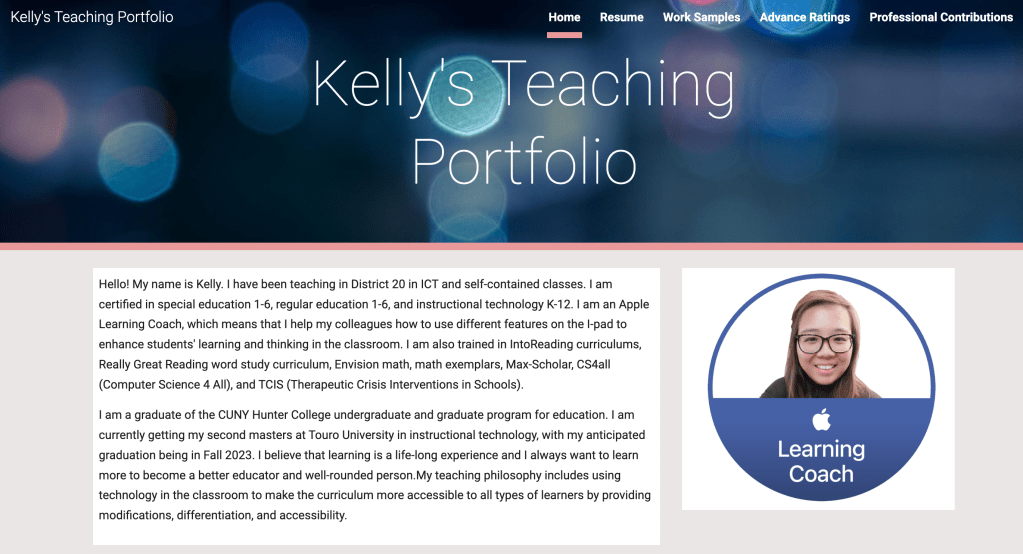
Google Sites is a free tool you can use with any Gmail account. You can select from various templates, designs, and colors (there are limited options for the free version). What I find most important in creating a teaching or tenure portfolio is including a professional picture of yourself with a brief overview of your education and teaching background (along with your contact information). For example, what are your teaching certifications or any professional development workshop certificates? What type of classroom or subject are you interested in teaching? I also find that including your teaching philosophy is important. A teaching philosophy does not have to be very long but it should clearly state what you are most passionate about and what you believe teaching should look like. My teaching philosophy includes using technology in the classroom to make the curriculum more accessible to all types of learners by providing modifications, differentiation, and accessibility.
Another important thing to include in your teaching or tenure portfolio is your resume. Make sure your resume is well-polished and fits into 1 page. In your resume, you should include your work experience, schooling, certificates, workshops you’ve attended, etc. It is also best to include your GPA, especially if it’s above 3.0.
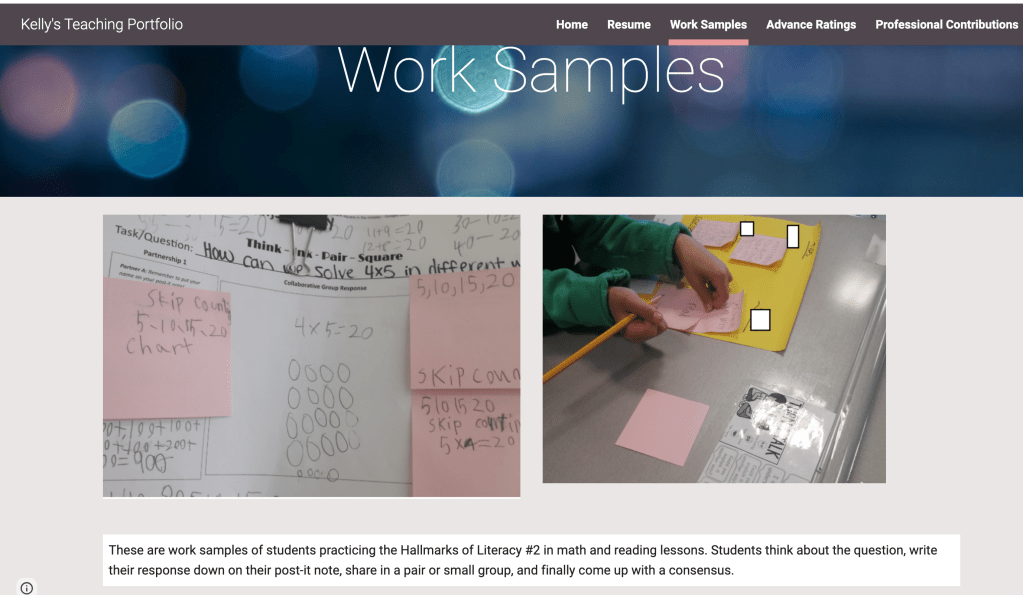
Including work samples of your lesson plans, students’ work, group projects, rubrics or exams you’ve created, etc. will definitely help you stand out! Many times, hiring teams find that teachers typically have similar resumes, such as college, graduate school, certifications, etc. However, your turn to shine is really in the work samples. Include pictures of group projects you’ve done with the students, outstanding students’ work (such as dioramas, posters, published writings, etc.), and anything you created that is not easily found on Google or Teachers Pay Teachers. I do not recommend putting students’ tests with their scores (like a multiple-choice exam) in your portfolio! However, you can put a student’s reading project with a rubric attached. Make sure you blur or remove the student’s name to protect confidentiality. I’ve attached pictures of my students’ group work in using the speaking and listening protocols for an essential unit question in reading to my portfolio on Google Sites and I was given compliments on it.
Include any observation reports (from administrators or professors) and recommendation letters (definitely ask your supervisors for letters). Observation reports and recommendation letters will show the hiring team what others think about your teaching, such as your strengths and areas of improvement. This provides the hiring team with a more balanced and neutral perspective about your teaching since the report comes from a third party. I would also include the lesson plan that goes along with your observation report.
Include professional contributions that you’ve done. For example, what have you done for your school? Did you host any events or participate in any events? Did you do any donations projects from Amazon wishlist or DonorsChoose? Did you host any student teachers (assuming you are a veteran teacher looking to transfer or move to a new school district)? Did you participate in any after-school clubs at your school? For student teachers looking to land their first teaching job, you can include meetings or workshops you’ve attended with your cooperating teacher, teaching presentations you’ve done for your professors and classmates, and parent meetings you’ve attended.
A huge tip I suggest is when you include visuals of what you’ve done in the classroom or school, add a caption to each visual to explain it. Do not assume the hiring team will automatically know because school or district may be completely different. If you post a test that you’ve created to assess students in basic multiplication facts, write it in the caption below! You do not need to write a lot but 1-2 sentences works well.
Lastly, make sure your Google Sites is easy to navigate. Do not use distracting colors and make sure the font and size are both legible. I recommend sticking with Times New Roman or Arial, font size 12. I also recommend with sticking to a solid color background for your Google Sites, instead of adding a design since it may distract the viewers. Use the pages to add new sections to your site. Make sure to clearly label the pages/sections. You can also embed social links, such as a teaching Instagram, twitter, or Linkedin account. When you publish your Google Sites, be sure to see who can view it. Open up the “view only” to everyone (not the edit!).
Hope these tips help you with land your dream teaching job!
xoxo,
Kelly
P.S. Below are pictures from my tenure portfolio on Google Sites!
 Tech Savvy Classroom